Table of content
- What Are SERP Features?
- Why SERP Features Matter
- Main Types of SERP Features
- How to Get Featured Snippets
- Optimizing for Local Pack
- Using Schema Markup
- Optimizing Images and Videos
- Building Trust and Authority
- Tracking Your Results
- Common Mistakes to Avoid
- Your Action Plan
- How Will RankyFy Help You Get In Higher SERPs
- Final Thoughts
- FAQ's
What Are SERP Features?
A search engine results page is commonly called a SERP. A SERP is the page shown by a search engine after someone types a query and presses search. This page displays a list of results that the search engine believes best match the search intent. Changes in SERP will be anything that does not appear as a normal search list. They are the favorites and features that assist individuals in locating answers more quickly. These attributes provide an additional appearance on the first page of Google. At other times, they appear at the top of the one result, thus making you receive more attention, though not necessarily at the first position.Why SERP Features Matter
Your traffic on a website can increase tremendously through SERP features. They render your content more remarkable, they appear in the most favourable positions on the page, and they cause people to have more confidence in your brand. When you are found in such features, you are perceived as an expert by the searchers. That results in increased clicks and increased business.Main Types of SERP Features
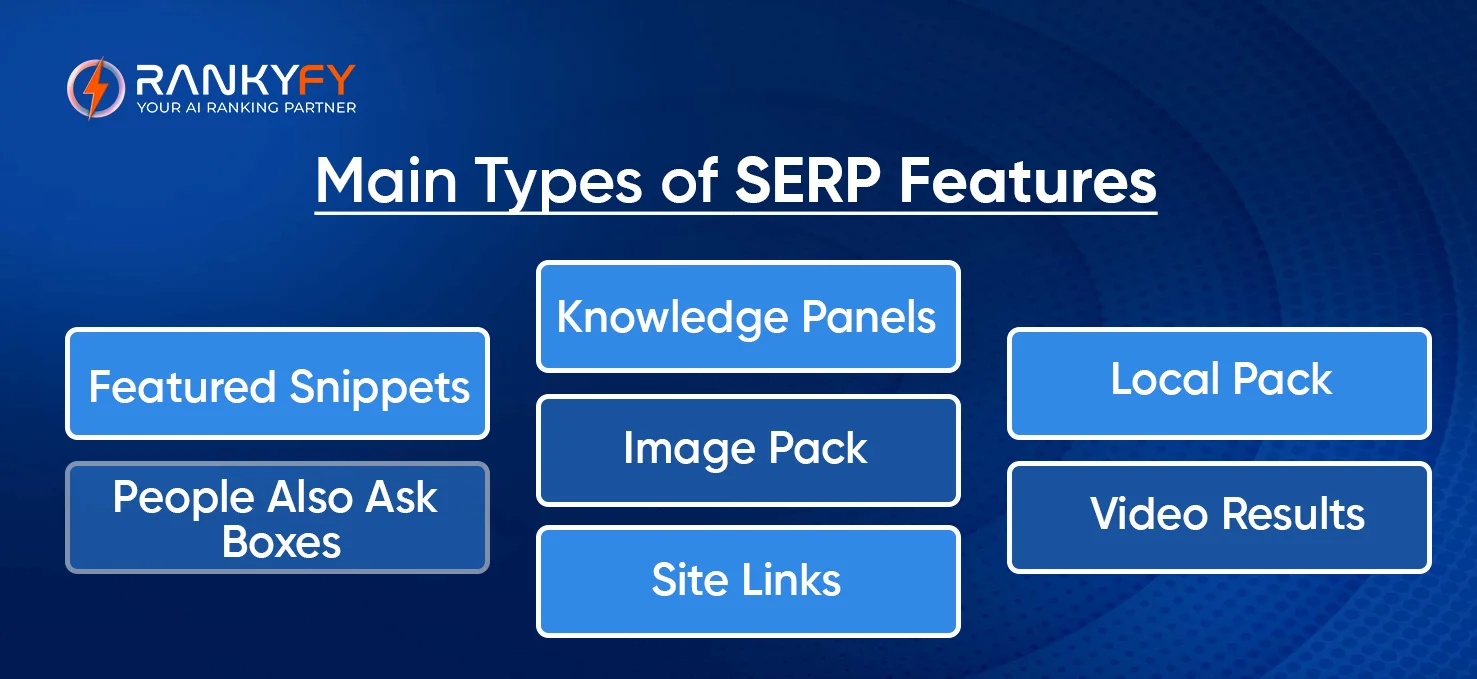
1. Featured Snippets
The boxes at the top of the result lists, which provide the answers to questions directly, are called featured snippets. This is known to people as the zero position, as it is above the first regular result. Snippets of features are of different types. Text answers are in the form of paragraph snippets. List snippets indicate actions or objects. Table snippets display data. Video snippets present video clips.2. Knowledge Panels
Panels of knowledge appear on the right-hand side of searches. They provide comprehensive details on business, individuals, locations, and subjects. Google extracts this data from reliable sources on the web. It is impossible to form a knowledge panel yourself; however, you can assist Google by ensuring your information is localized everywhere on the Internet.3. Local Pack
The local pack displays three local companies on a map. You can observe it when you are looking at such words as pizza near me, dentist, or in Dallas. It contains business names, ratings, addresses, phone numbers, and hours. This is enormous to local companies that are attempting to access local buyers.4. People Also Ask Boxes
These boxes indicate related questions that individuals search. After clicking on a question, it opens up to answer. Then more questions appear. This is excellent since your content may appear many times on a single search page by providing answers to various related questions.5. Image Pack
Image packs present a row of images at the top of search results. This occurs when individuals are in inquiry after things that require pictorial solutions. These image results allow people to locate your site in the event that your pictures are optimized appropriately.6. Video Results
Video carousels are the presenters of relevant videos, most likely from YouTube. They appear in how-to searches, reviews, and on topics where video is more helpful to explain things.7. Site Links
The site links are additional links below your primary search. They display significant content on your web pages and assist individuals to cut straight to the point they require. Google is automatically adding these to sites that it is confident in; however, you can have an impact on which pages are shown.How to Get Featured Snippets
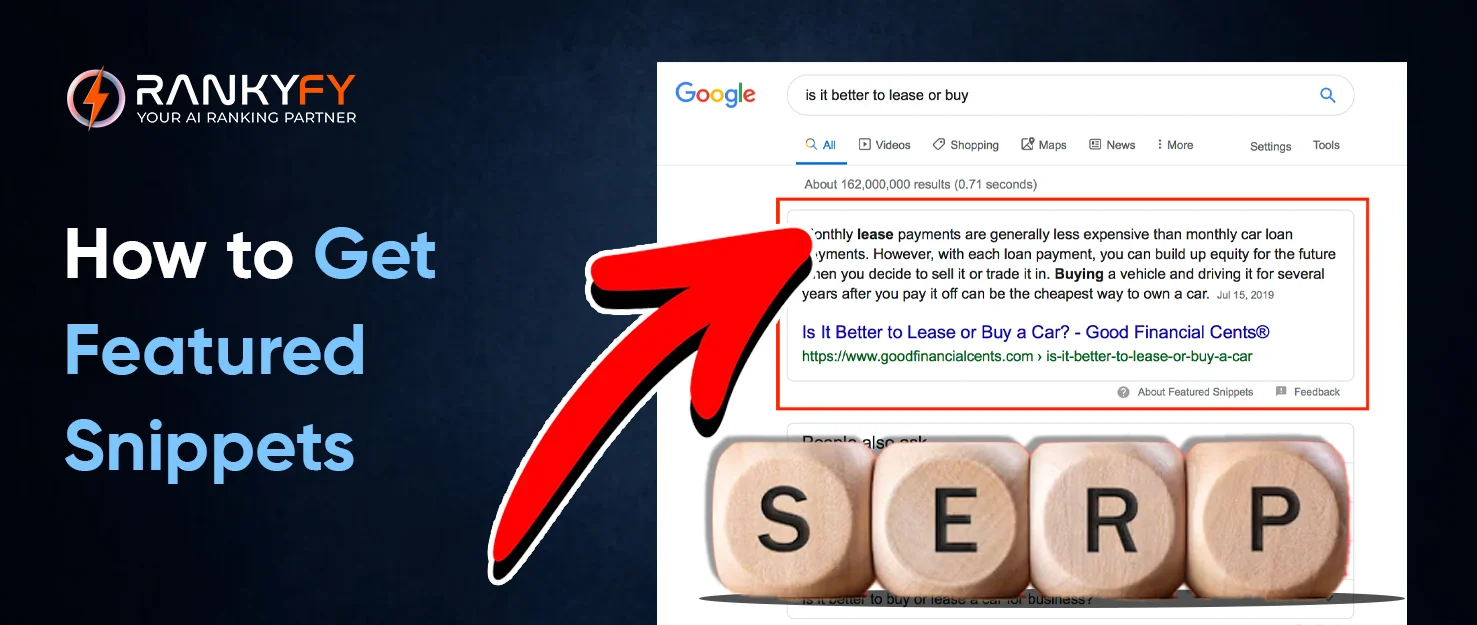
Find the Right Keywords
Begin by identifying questions that people pose in your sector. Is there a search that already has featured snippets? Pay attention to questions that begin with what, how, why, when, and where. They are best suited to featured snippets.Structure Your Content Right
Having simple answers at the beginning of your articles. Have paragraph snippets of between 40 and 60 words. Use the headers that correspond to the questions people ask. For example, use "What is SEO?" or/and as your headers How to Optimize Images " as your headers.Format Your Lists and Tables
In making lists, you should use correct formatting. Write a number or bullet points. Include not less than five to eight items. In the case of tables, ensure that they are arranged and readable. Present comparisons or data that is easily understood.Write Simple Answers
Be plain when explaining things. There is no need to complicate words; make use of simpler ones. Google leans towards easy-to-understand content.Optimizing for Local Pack
Set Up Google Business Profile
Own your Google Business Profile; not done so yet. Complete all the fields with your business information, pictures, and services. This profile is the basis of appearing in the local results.Keep Your Information Consistent
The name of your business, address, and phone number must match anywhere on the Internet. This will consist of your website, Google profile, and the directories. The lack of a match between this information will confuse Google and damage your rankings.Get Customer Reviews
Local rankings are dependent on reviews. Request satisfied clients to make a review on your Google Business Profile. At all times, respond to reviews, good or bad. This demonstrates that you are concerned about your customers.Make Location Pages
In case you are serving various locations, then you can make different pages. Add local details, some local landmarks, and facts about that location.Using Schema Markup
What is Schema Markup?
Schema markup is a special code that can assist Google in knowing your content in a better way. It informs the search engines of what your content entails. Schema addition does not ensure SERP feature, but it can be of benefit.Important Schema Types
The FAQ schema assists your questions and answers to appear in the search features. HowTo schema is effective with instructions and tutorials. Product schema provides prices and ratings of online shops. The review schema presents star ratings as a result. The LocalBusiness schema provides Google with information regarding the location.Test Your Schema
Test your schema to understand whether you have a working schema or not with the help of the Rich Results Test that Google offers. The schema generator tool demonstrates whether Google is able to read your structured data.Optimizing Images and Videos
Make Your Images Better
Use clear, high-quality images that fit your content. Name your image files with descriptive words instead of random numbers. Write alt text that describes what's in each image. This helps Google understand your images and helps people who use screen readers.Create Better Videos
Post videos on YouTube for the best results. Use keywords in your video title, description, and tags. Add timestamps to break long videos into sections. Include a transcript so Google can understand what you're talking about.Building Trust and Authority
Show Your Expertise
Google is interested in having content from specialists. Present your credentials, refer to credible sources, and up-to-date information. Get other industry-respected websites to link with you. This demonstrates to Google that other people believe your content.Cover Topics Completely
Don't just skim the surface. Develop elaborate materials that should answer all questions that a person may have concerning a subject matter. The more you cover a topic, the more chances you have to be featured in numerous SERP elements.Update Your Content
Add and update statistics and correct old information regularly. Google favours up-to-date and accurate content.Tracking Your Results
Check Google Search Console
Use Google Search Console to see which searches bring up SERP features for your content. Watch your clicks and impressions for these searches.Look at Competitors
See which SERP features your competitors are winning. What are they doing differently? What questions are they answering? Learning from competitors helps you find opportunities you might be missing.Monitor Your Progress
Track which SERP features you're appearing in over time. Notice patterns in what works and what doesn't. This helps you focus your efforts on strategies that actually work.Common Mistakes to Avoid
- Do not make your content forceful with keywords. Write to people, and then be concerned about keywords.
- Do not develop thin material that answers questions insignificantly. Ensure that your articles are of value.
- There are mobile users to consider. The majority of the population browses using their mobile phones, and therefore, the site must be accessible on the small screen.
- Don't ignore page speed. Slow websites are annoying to your customers and damage your prospects of ranking highly.
Your Action Plan
- Start by looking at your existing content. Which pages could use better structure or formatting?
- Find questions people ask in your niche. Focus on ones that already trigger SERP features but don't have great answers yet.
- Pick your best pages and improve them first. Add clear headers, format your content better, and add schema markup.
- Create new content designed specifically for SERP features. Answer questions thoroughly and structure everything clearly.
- Keep track of what works and do more of it.
How Will RankyFy Help You Get In Higher SERPs
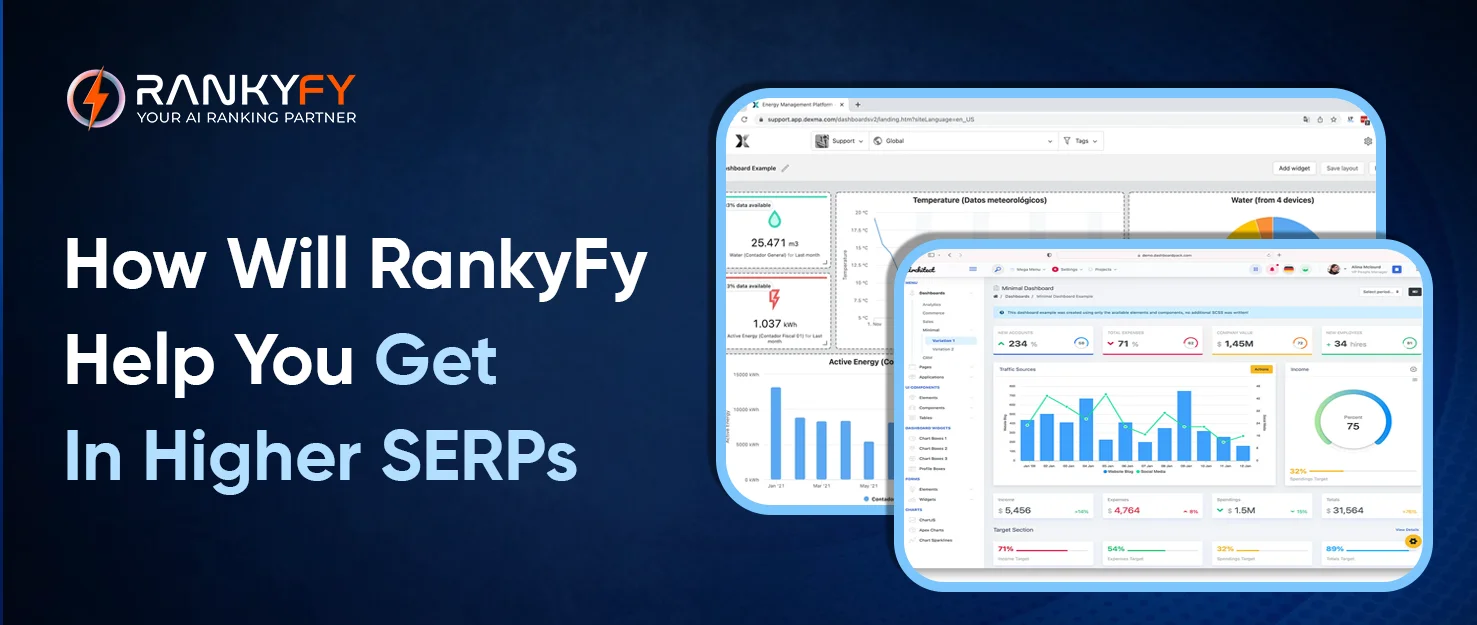 RankyFy helps businesses improve their position on search engine results pages by focusing on practical SEO actions rather than complex theory. It provides clear visibility into keyword performance, showing how rankings change over time and helping teams understand which pages are moving up and which ones need improvement. This allows businesses to concentrate on keywords that have real potential to reach higher SERP positions.
The platform also supports optimization for modern SERP layouts. RankyFy helps identify opportunities where content can appear in featured snippets, People Also Ask sections, and other enhanced search results. By understanding how pages perform within different SERP features, businesses can adjust content structure and formatting to gain more visibility without relying only on traditional rankings.
RankyFy helps businesses improve their position on search engine results pages by focusing on practical SEO actions rather than complex theory. It provides clear visibility into keyword performance, showing how rankings change over time and helping teams understand which pages are moving up and which ones need improvement. This allows businesses to concentrate on keywords that have real potential to reach higher SERP positions.
The platform also supports optimization for modern SERP layouts. RankyFy helps identify opportunities where content can appear in featured snippets, People Also Ask sections, and other enhanced search results. By understanding how pages perform within different SERP features, businesses can adjust content structure and formatting to gain more visibility without relying only on traditional rankings.
Final Thoughts
The features of SERP have transformed the process of search. They provide you with opportunities to achieve increased visibility and traffic, but you have to intentionally work on them. Concentrate on the development of useful content that provides solutions to actual questions. Make it organized and apply schema markup, and demonstrate that you have a clue what you are saying. There are no tricks or shortcuts to winning SERP features. It is about riding out to be the best resource to your audience. Do that, and then the features will come. Begin implementing the following tips nowadays and see your search popularity increase.
FAQ's
-
What are organic SERP features in SEO?
Organic SERP features are enhanced search results that appear without paid ads, such as featured snippets, People Also Ask boxes, image packs, video results, and rich snippets. They help users get quick answers directly from the search results page.
-
How can you optimize your website for SERP features?
To optimize for SERP features, create high-quality, structured content with clear headings, concise answers, schema markup, optimized images, and strong on-page SEO. Target question-based keywords and improve page authority to increase eligibility for featured placements.
-
What is the difference between SERP and SEO?
SERP (Search Engine Results Page) is the page displayed by search engines after a user submits a query, while SEO (Search Engine Optimization) is the process of optimizing content and websites to improve rankings and visibility on SERPs.
-
Why are SERPs important for SEO and online visibility?
The SERP helps users find relevant information quickly by displaying organic results, paid ads, and special features like snippets and local packs. For businesses, SERPs are crucial for driving traffic, visibility, and conversions.
What to read next

13 Proven Ways To Use the Meta Ad Library for Research
Meta Ads Library is a free research tool for marketers. The platform is known for...
Read More
Search Terms: Meaning & How to Use Them
Understanding search phrases is important to reach potential customers in a conversational tone. Search terms...
Read More
How to Migrate a Website Without Harming SEO (Complete Checklist)
How to Migrate a Website Without Harming SEO - Migrating a live website is a...
Read More
On-Page SEO Explained: A Complete Guide
What prevents your website from showing up at the top of search engine results? You...
Read More