
Table of content
- What Is a robots.txt File?
- Why Is Robots.txt Important for SEO?
- Robots.txt vs Noindex: What's the Difference?
- What Happens If Robots.txt Is Misconfigured?
- How to Check Your Robots.txt File
- Common Robots.txt Mistakes to Avoid
- How RankyFy Helps You Check Robots.txt Issues
- Robots.txt Best Practices
- Last Thoughts
A robots.txt file is a simple text file placed in a website's root directory that tells search engine crawlers which pages or sections they are allowed or not allowed to access. It acts as a set of instructions for search engine bots, guiding how they crawl a site before indexing its content. For businesses, a properly configured robots.txt file helps achieve better SEO outcomes by preventing search engines from wasting crawl budget on low-value pages, protecting sensitive or duplicate content from appearing in search results, and ensuring that important pages get discovered and indexed efficiently.
This blog covers why robots.txt matters and how incorrect settings—such as blocking important pages or allowing low-value content to be crawled—can impact SEO performance.
Identify and Fix robots.txt warnings with RankyFy
What Is a robots.txt File?
A robots.txt file is a plain-text file normally placed in the root directory of a website.
Here’s an example:
https://example.com/robots.txt
A basic file might look like this:
User-agent: *
Disallow: /admin/
Disallow: /private/
Allow: /
Here, User-agent: * applies the rule to all crawlers, while Disallow tells compliant crawlers not to crawl the specified directories.
Why Is Robots.txt Important for SEO?
1. It Controls Crawler Access
One of the top purposes of a robots.txt is to stop search engine crawlers from accessing certain URLs or directories
Here’s what you may not want crawlers to access:
-
Internal search results
-
Temporary directories
-
Development areas
-
Certain account pages
-
Duplicate URL variations
-
Internal scripts or resources
This helps search engines to spend time crawling resources on URLs that matter more.
2. It Helps Manage Crawl Budget
Many large business websites contain millions of URLs.
Since search engines have limited resources, spending more time accessing low-value URLs may lead to less attention to important pages.
A carefully configured robots.txt file can help reduce unnecessary crawling.
For example, an ecommerce website may have numerous URL parameters generated by filters and sorting options. Some of these URLs may provide little additional SEO value.
3. It Keeps Low-Value Areas Out of the Crawler's Path
Most websites contain sections that aren't particularly useful for search engines.
Examples might include:
-
Internal search pages
-
Testing directories
-
Staging areas
-
Certain administrative paths
-
Temporary files
With robots.txt, site owners can communicate the areas that should not be crawled. This promotes a clear and more efficient site crawl environment.
4. It Helps Protect Server Resources
Many search engine crawlers can request a large number of URLs. So, if your website generates a large number of unnecessary URLs, repeated crawling can deplete server resources.
Appropriate crawling restrictions can help reduce unnecessary requests.
This can be particularly relevant for:
-
Large ecommerce websites
-
News websites
-
Job portals
-
Real estate websites
-
Forums
-
Websites with extensive filtering systems
However, robots.txt shouldn't be used as a substitute for proper technical optimization.
5. It Can Reference Your XML Sitemap
A robots.txt file can notify crawlers where your XML sitemap is located.
Here’s an example:
User-agent: *
Disallow: /private/
Sitemap
: https://example.com/sitemap.xml
When the sitemap location is included, crawlers can easily discover your sitemap.
The sitemap itself offers the complete list of URLS that you want to consider crawling and indexing.
6. It Helps Prevent Unnecessary Crawling of Duplicate URL Patterns
Some websites generate multiple URLs for essentially the same content.
Here are some examples:
/product?sort=price
/product?sort=rating
/product?filter=blue
/product?filter=large
Depending on how the website is configured, these URLs may create significant crawl complexity.
Robots.txt can sometimes be part of the solution, but URL parameters should be handled carefully. Blocking too aggressively can prevent search engines from accessing URLs or resources they actually need.
7. It Is Useful During Website Development
Developers sometimes use robots.txt to prevent search crawlers from accessing development or testing environments.
Here’s an example:
User-agent: *
Disallow: /
This tells compliant crawlers not to crawl the entire site.
However, this is not security.
Anyone can gain access to the robots.txt file and push malicious bots. So, any sensitive or confidential info should use authentication, firewalls, and other security measures.
Robots.txt vs Noindex: What's the Difference?
| Feature | Robots.txt | Noindex |
|---|---|---|
| Controls crawling | Yes | No |
| Prevents indexing | Not reliably | Yes, when properly processed |
| Blocks crawler access | Yes | No |
| Useful for crawl management | Yes | Limited |
| Security mechanism | No | No |
What Happens If Robots.txt Is Misconfigured?
Even a small mistake in robots.txt can create significant SEO problems.
Here’s an example:
User-agent: *
Disallow: /
This notifies compliant crawlers not to crawl the entire website.
When deployed accidentally on a production website, it could stop search engine crawlers from accessing the vital pages.
Here are some common problems:
-
Blocking important CSS or JavaScript resources
-
Blocking an entire website unintentionally
-
Disallowing important product or service pages
-
Incorrect wildcard usage
-
Blocking URLs that need to be crawled for indexing signals
-
Forgetting to update rules after a website migration
That's why robots.txt should be tested carefully before deployment.
Identify and Fix robots.txt warnings with RankyFy
How to Check Your Robots.txt File
To access your website’s file, simply add:
/robots.txt
to your domain.
Here’s an example:
https://example.com/robots.txt
Check whether:
-
The file exists
-
Important pages aren't accidentally blocked
-
Your sitemap is referenced
-
Rules are logically structured
-
Development restrictions aren't active on the production website
For larger websites, regularly auditing robots.txt as part of technical SEO monitoring is a good practice.
Common Robots.txt Mistakes to Avoid
Blocking the Entire Website
Never accidentally deploy:
Disallow: /
to your production website unless intentionally restricting all crawling.
Treating Robots.txt as Security
Robots.txt is publicly accessible and doesn't prevent unauthorized access.
Using It to Remove Indexed Pages
Do not block already indexed pages with robots.txt to remove them from search results.
Blocking Important Resources
Be careful when disallowing CSS, JavaScript, images, or other resources required for search engines to understand and render pages.
Blocking Pages That Need a Noindex Directive
Don't prevent Googlebot from crawling the page with robots.txt if you need it to see a noindex instruction.
How RankyFy Helps You Check Robots.txt Issues
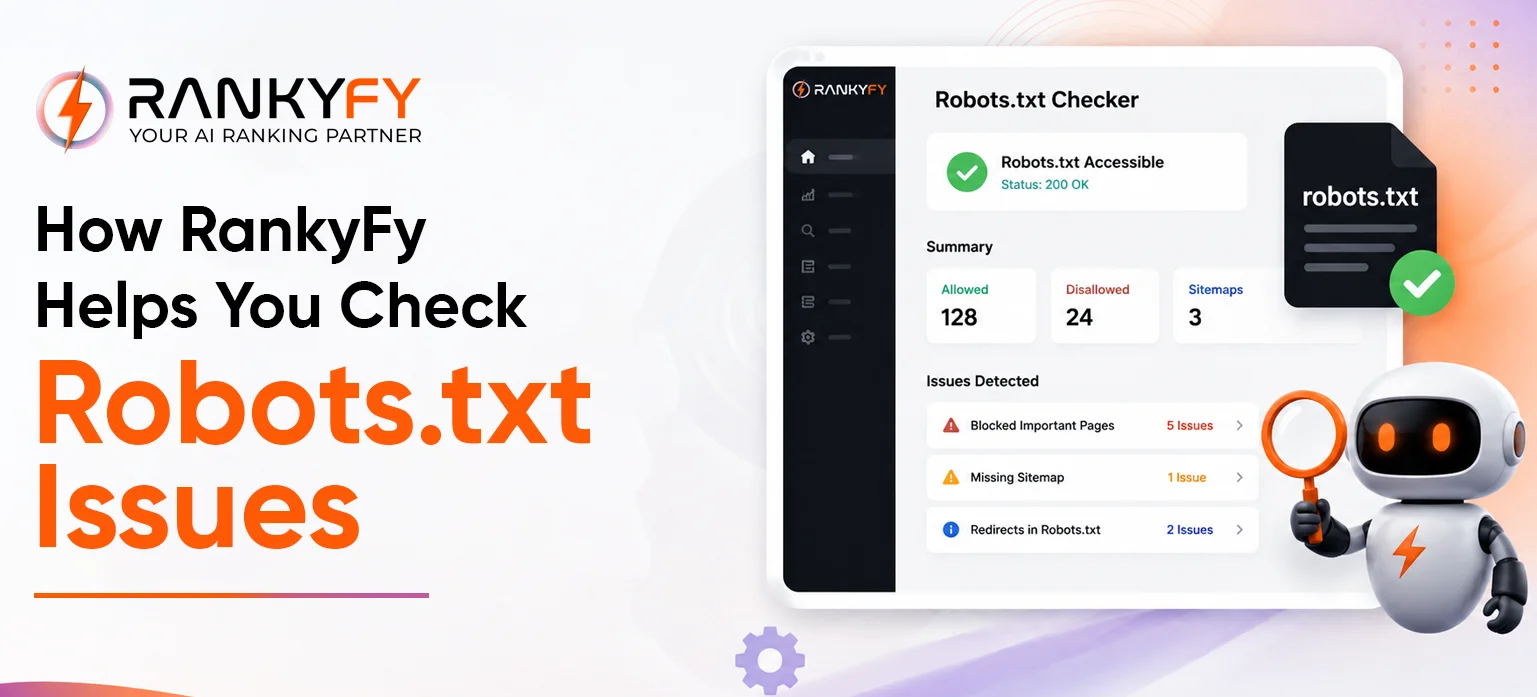
Checking robots.txt is a part of a broader technical SEO audit for website owners.
RankyFy is an all-in-one tool that helps identify any website-level SEO or technical issues. The tool is built to eliminate manual labor. It analyzes and reviews your website’s overall health to identify underlying issues.
A robots.txt review can therefore be combined with checks for:
-
Crawlability
-
Indexability
-
Broken links
-
Sitemap issues
-
Canonical tags
-
Redirects
-
Page performance
-
On-page SEO
-
Internal linking
This broader approach is important because a robots.txt problem is rarely the only technical SEO factor worth examining.
Robots.txt Best Practices
For a healthy robots.txt setup:
-
Maintain easy-to-understand and simple files.
-
Block URLS that genuinely don't require crawling.
-
Don't use robots.txt as a security step.
-
Don't block pages where you need Google to process noindex.
-
Include your XML sitemap where appropriate.
-
Test changes before deploying them.
-
Review all files after major changes such as website migrations.
-
Audit crawling and indexing alongside robots.txt regularly.
Identify and Fix robots.txt warnings with RankyFy
Last Thoughts
A robots.txt file may be a small, simple file, but its impact on a website's SEO performance is significant. It controls how efficiently search engines crawl a site and protects sensitive or low-value pages from being indexed. It also helps ensure crawl budget is spent on the pages that matter most. Getting it wrong, even with one misplaced directive, can accidentally block important pages from search results entirely.
For businesses that want to manage this correctly without the guesswork, RankyFy offers tools that help analyze crawlability, indexing status, and technical SEO health from a single dashboard. Instead of manually auditing crawl behavior, teams can use RankyFy to catch robots.txt issues before they impact rankings.
Ready to make sure your website is being crawled the right way? Try RankyFy today and take the guesswork out of technical SEO.
What to read next

What is a Domain? A Simple Guide to Domain Types & Examples
A domain is the unique web address people type into a browser to reach a...
Read More
What Is a Subdomain: Definition & Examples
A subdomain is an extension of a primary domain name that allows website owners to...
Read More
What Does a 404 Error Mean? Explained
A 404 error is a standard HTTP status code that appears when a web server...
Read More
How to Optimize Images for Better Search Engine Rankings
Images are an important part of modern websites, helping make content more engaging, informative, and...
Read More